Review a board
Review lets you go through a board. A panel opens on the left with two parts: What is missing for what the board itself is missing, and Comments for what you think is wrong. The board keeps working in the meantime.
Review a board
- Open Review. The first time, a box explains how it works. Click Got it to dismiss it. The (i) next to the title brings it back.
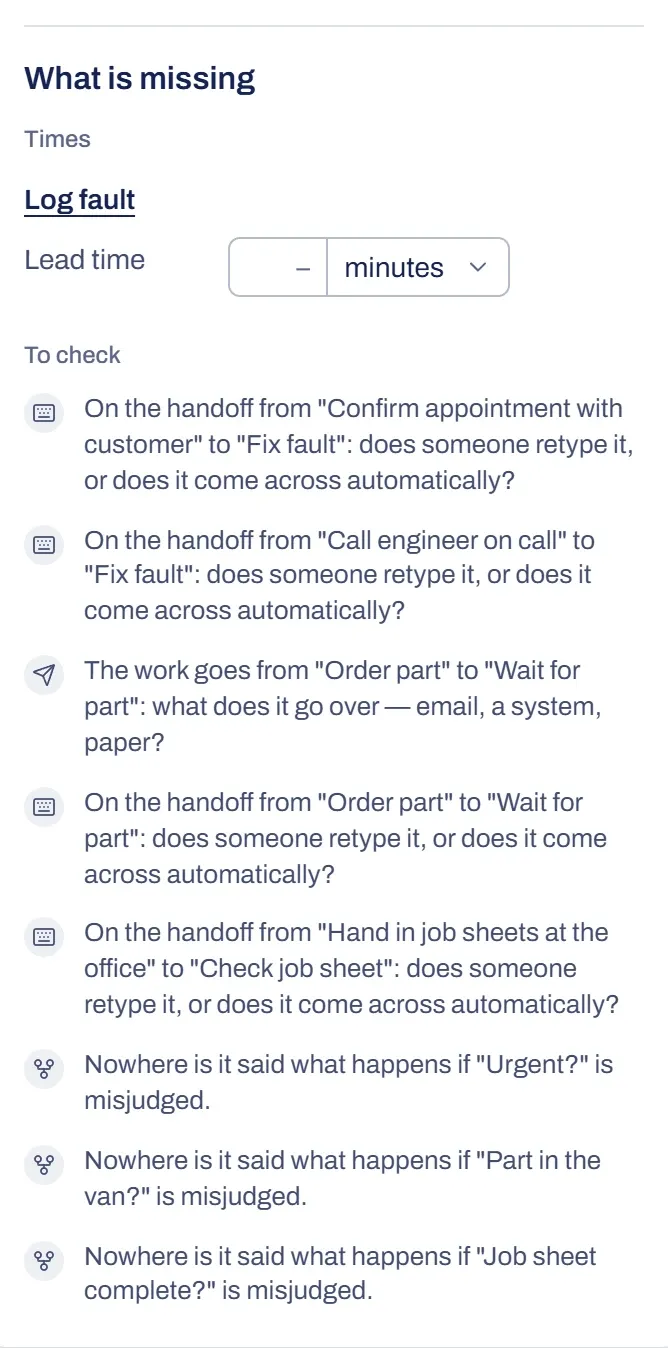
- Under What is missing, fill in the times you know under Times.
- Click each point under To check. The panel of that card opens: fill in what’s missing, or leave a comment.
- Go over the board yourself. Does a card not match how the work really runs? Review can’t see that, so leave a comment on it. To find out whether a card matches the conversation, check where it comes from.
- Have Brownpaper process the comments and choose what goes through.
Missing items
The list comes from the board itself, not from a model. It has two parts.
Times
For each step, only the fields that are still empty are listed:
- Process time: how long is really spent working on it.
- Lead time: from start to finish, waiting included.
- How often: how often it happens.
Instead of those three you may see Total: what the work costs altogether per period. If a step has a total, only the lead time is still missing. For a waiting step, only the lead time counts. If a step from the latest analysis is still missing a number, it’s listed here too.
You fill them in with the same fields as in the card’s panel. If you fill in two of process time, how often and total, the board works out the third. Click the name of the step to open its panel.
What you fill in stays in the list while Review is open, so you can still correct it or clear it. Open Review again and only what’s still missing is listed.
Open points
Under To check is every other open point, one line per point with an icon. These are questions such as who does a step, what comes before or after it, how a decision ends if it goes wrong, why work comes back and how it’s handed over. Click a line to open the panel of that card. The same points appear per phase in the Guide tab, next to the conversation.
If nothing is open anywhere, the list says the board is missing nothing it can find by itself.
Something not working?
I don't see Review
On a board that was shared with you to look at, on the example board and for a guest, the button isn’t there. On a phone it’s under More.
There's a message instead of What is missing
Then Review isn’t in your organisation’s plan. The message says how to get it: the owner gets a button to Subscription and credits, another member asks the owner. Until then the panel shows the comments that are already there, to read, and you can remove what you could otherwise remove too. You fill in times in the card’s panel.
It says nothing is missing, but I think something is
Review only finds what the board gives away by itself. Leave the rest as a comment on the card or on the whole board.