Run an analysis
Brownpaper rereads the whole conversation and looks for two things: where time is lost and what can go wrong. The results appear on the board as bottlenecks, risks and controls, and as a list in the Analysis panel. It’s the heaviest step Brownpaper has, and it uses your organisation’s credits. The button shows what it costs.
Start the analysis
- At the top, choose AI, then Analysis. On a phone, AI is in the bar at the bottom. Opening the panel is free: it only shows what’s already there.
- At the bottom, click Analyze. Next to the button you first see only that it uses a lot of credits. Later it shows an estimate based on what earlier analyses cost.
- Wait a few minutes. The top of the screen now shows Analysing… and the button shows Analyzing…. A second click doesn’t start anything; it would charge you twice.
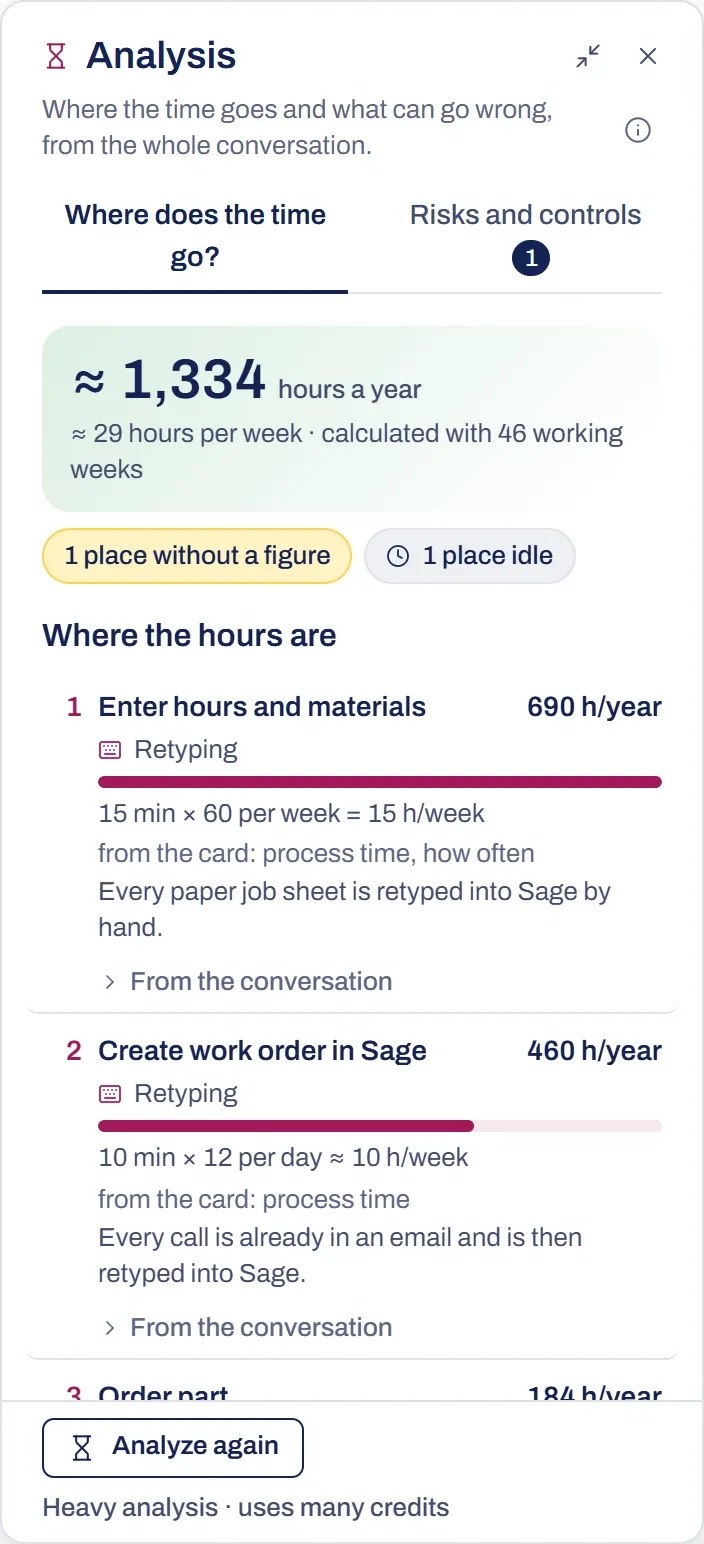
Results
The panel has two tabs.
- Where does the time go? ranks the bottlenecks by hours, with the total hours a year at the top.
- Risks and controls shows the risks and controls: what can go wrong and what stops it, uncovered risks first. The number next to the tab is how many risks have no control yet.
The board gets the new bottlenecks, risks and controls, plus a marker above the cards with a rank and hours. It all arrives as one action, so a single Ctrl+Z removes it. The analysis only adds things and leaves what was already there.
Collapse analysis folds the panel into a pill, and the markers stay. Close analysis closes the panel and removes the markers from the board. The bottlenecks, risks and controls stay.
Quotes and numbers
Every quote appears word for word in the conversation, and every number comes from the conversation or from a card. Anything that fails that check is dropped; the bottom of the tab says how many. Under From the conversation on a row you’ll find the words from the conversation behind it, with a link to that spot.
Something not working?
Analysis is greyed out, or Analyze is greyed out
An empty board has nothing to analyse. If you can only view the board (a board shared with you, a view link or the example board), you can read the result but not start one. Click the greyed-out button and it tells you why. On your own board it works.
It says: The board or the conversation has changed since this analysis
The list reflects what was there when the analysis ran. Click Analyze again for an up-to-date list. That uses credits again.
It says: It failed
The reason follows the message. The last successful analysis stays below it. Try Analyze again again.
It says: No place was named in the conversation where time is lost
The analysis only works with what was said or what’s on a card. Add to the conversation, or put the times on the cards yourself, as you do when you review the board.