In the background
What you say reaches the board bit by bit. Every so often, Brownpaper looks at the whole conversation and fixes what’s hard to see in single pieces. You just keep talking.
Updates during the conversation
Brownpaper puts what you say on the board: a step, who does it, where it gets stuck. A half sentence or a “yes, exactly” is held back for a moment and added together with what follows. If that takes long, a notice at the bottom left of the board asks: We think nothing new has been said for a while. Is that right? Click Process anyway to process it anyway. If you do nothing, the notice counts down and disappears. A typed message always goes through straight away.
Reviewing the whole conversation
After several rounds of processing, once the previous round has finished, Brownpaper looks at the conversation as a whole. It works out what the conversation is about: the topic, the boundary, and one name per role and per system. It also checks the board. If the board no longer holds together, Brownpaper redraws it from the whole conversation. If it does, Brownpaper fixes what’s hard to see turn by turn, such as duplicate steps or actions that ended up in a description.
This takes a few minutes. You keep talking, and what you say in those minutes is processed afterwards. If you change something yourself in the meantime, your version wins. If the board was redrawn, a line above it says so; you can dismiss it.
Guide
Next to Conversation is the Guide tab: the phases of the conversation, one under the other, with what’s done and what’s still open in each. The current phase is open. The Guide is available in every mode, even if you only listen in, and it never blocks anything. If you filled in an aim, it appears there once the process is on the board, with the handoffs you can ask about.
Status and log
What Brownpaper is doing sits at the top centre, next to AI, and has two halves:
- Left, the conversation: whether Brownpaper is listening or speaking.
- Right, the work: an icon for every job that’s running (processing, checking, an instruction, Simplify, the analysis, the report), followed by what the last round produced, such as +3 cards or Nothing changed. If a round failed, Not updated stays until you click it.
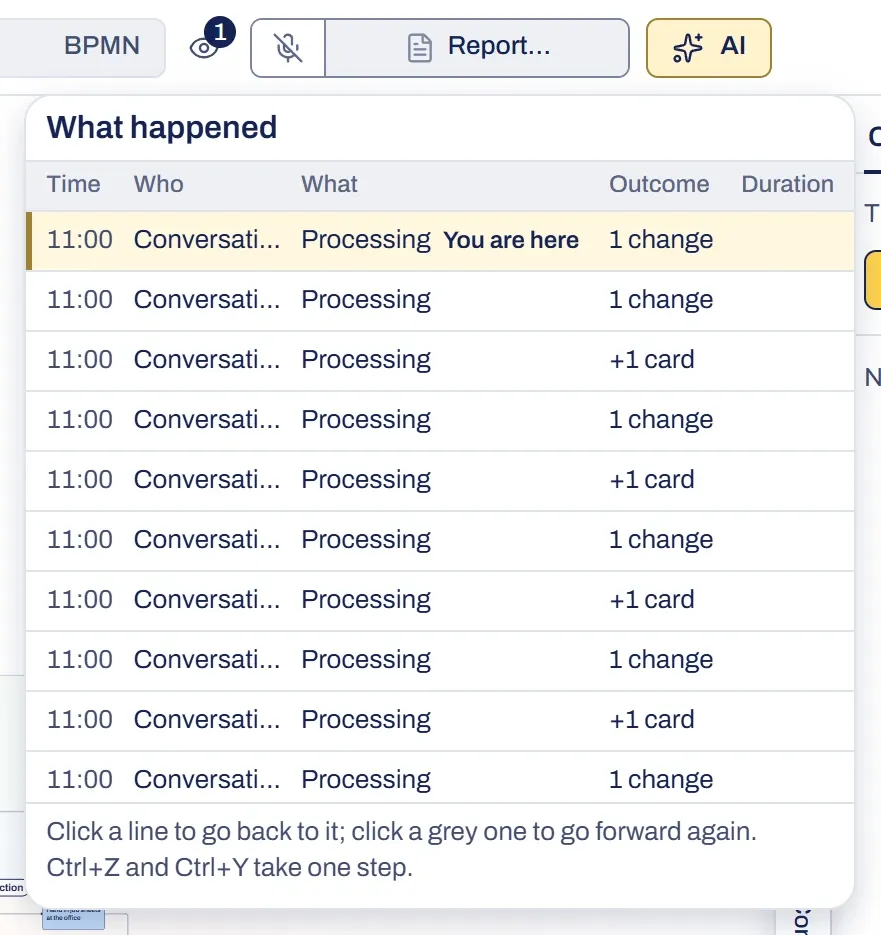
Click it to open the log, What happened: every step on the board, with who did it (you, the conversation or a guest) and what came out of it. If the last round failed or produced nothing, Try again is there. It processes again what was said since something last reached the board, and it uses credits. To go back to an earlier line, see undo.
Something not working?
The board wasn't updated
What Brownpaper is doing shows Not updated, or a notice gives the reason. Click it and choose Try again.
Checking the whole conversation failed
A line above the board says the check didn’t work. Brownpaper tries again in a few turns; you don’t need to do anything.
What I said isn't on the board yet
A half sentence is held back for a moment and is sent together with what follows. If you don’t want to wait, click Process anyway in the notice, or type it: a typed message always goes through straight away.
The board changed all at once
The board no longer held together and was redrawn from the whole conversation; a line above the board says so. What you made or changed yourself stayed. Undo brings back the previous board.